Supply Management
Feature Overview
Supply Management under Factory Link is for factories/manufacturers: complete onboarding review first, then maintain products you supply. Sellers connect to factory inventory through Factory Link’s Procurement Center.
Available now:
- Join Now: submit a factory onboarding application
- Product Management: maintain supply products and list/delist them
Consignment orders, settlement, and sales reports are coming soon.
How to Open
Top menu: Factory Link > Supply Management
- Not onboarded or still in review: Join Now
- After approval: Product Management
Join Now
Path: Factory Link > Supply Management > Join Now
The right panel shows application progress (Fill Application → Awaiting Review → Review Approved), typical review time, and common rejection reasons.
Use Save Draft anytime. When materials are complete, click Submit Application.
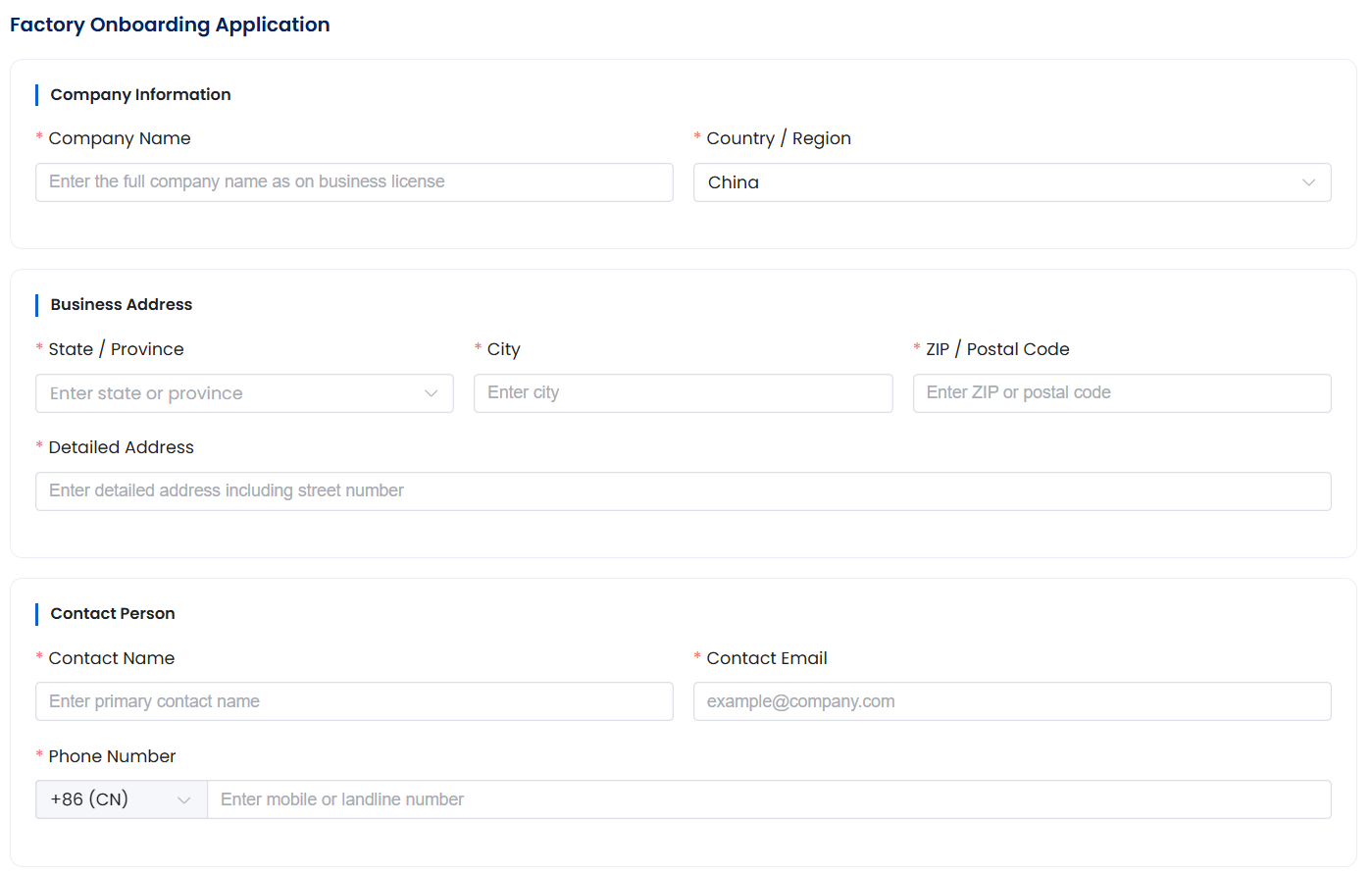
1. Company information and contact
Enter the full company name as on the business license, country/region, business address (state/province, city, ZIP/postal code, detailed address), plus contact name, email, and phone.
Filling tips:
- Company name must match the business license exactly
- Upload a color scan of the business license
- Upload at least 1 clear actual photo of the factory
2. Qualifications
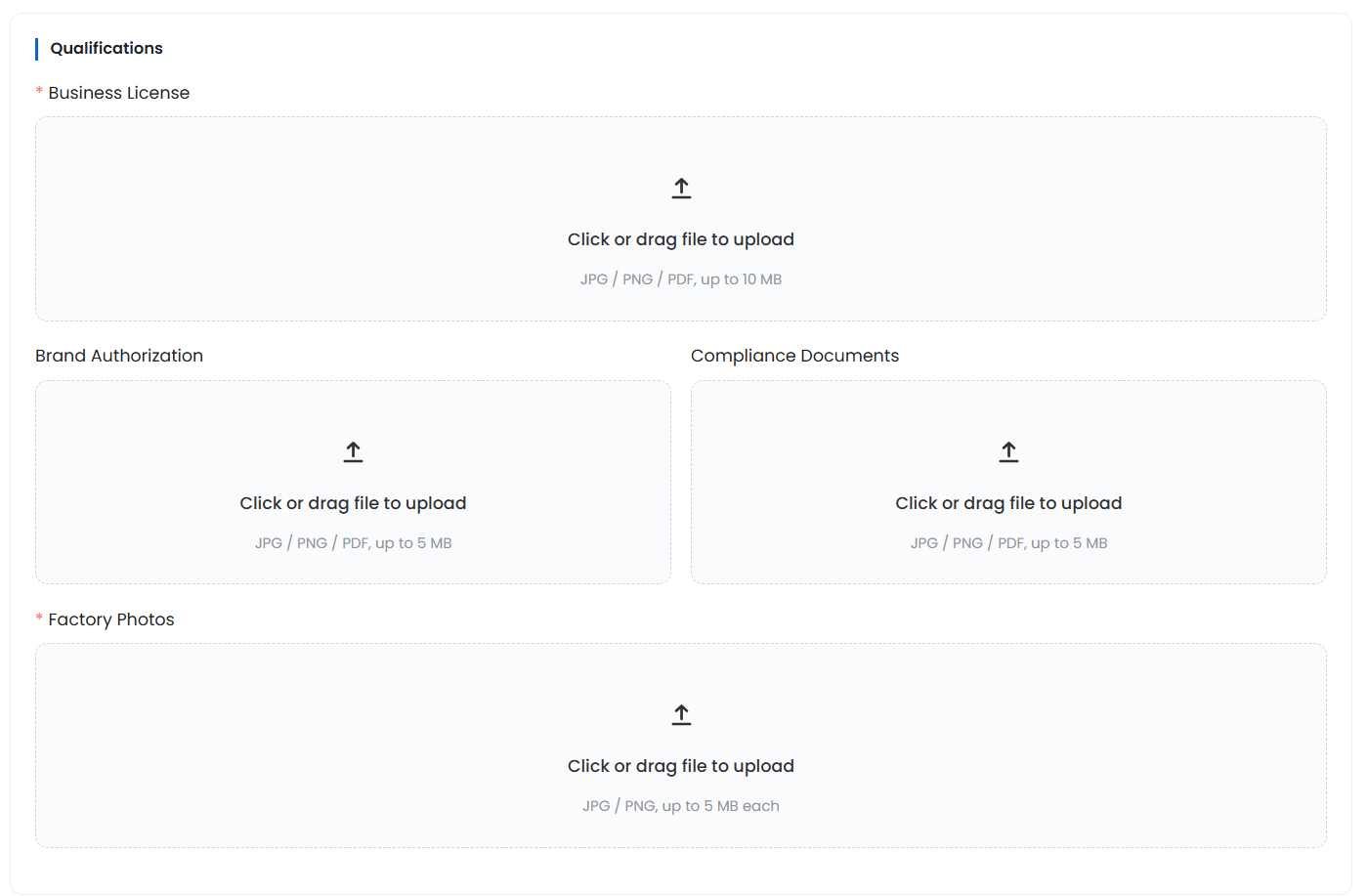
Upload the following as required:
| Document | Notes |
|---|---|
| Business license | Required; JPG / PNG / PDF, up to 10 MB |
| Brand authorization | JPG / PNG / PDF, up to 5 MB |
| Compliance documents | JPG / PNG / PDF, up to 5 MB |
| Factory photos | Required; JPG / PNG, up to 5 MB each |
Click or drag files to upload.
3. Onboarding mode, overseas warehouse, and agreement
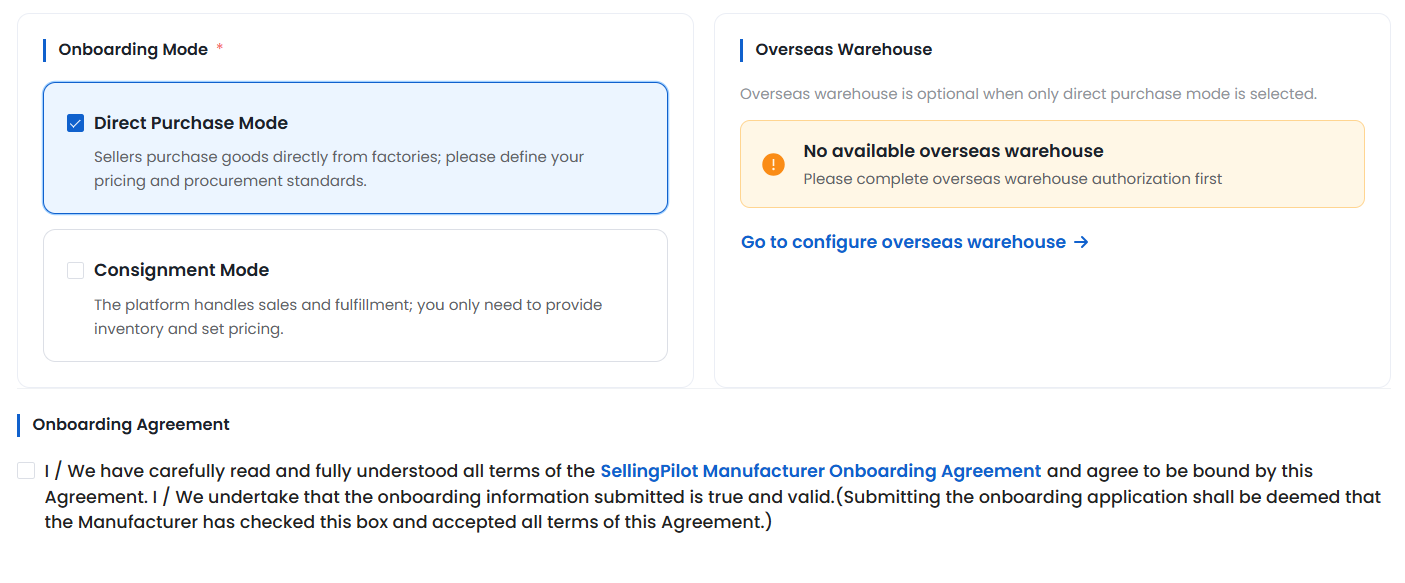
Onboarding mode (required):
- Direct Purchase Mode: Sellers purchase goods directly from factories; you define pricing and procurement standards
- Consignment Mode: The platform handles sales and fulfillment; you provide inventory and set a floor price
Overseas warehouse is optional when Direct Purchase Mode is selected. If you see No available overseas warehouse, complete overseas warehouse authorization first, then click Go to configure overseas warehouse.
Check that you have read and agree to the SellingPilot Manufacturer Onboarding Agreement, then submit. Submitting means the information is true and valid.
Review timeframe: With complete materials, review is usually finished within 1–3 business days. If additional materials are needed, you will be notified via in-site message and email.
Common rejection reasons:
- Company name doesn’t match the business license
- Document photos are blurry or incomplete
- Insufficient factory photos or not actual photos
Product Management
Path: Factory Link > Supply Management > Product Management
After onboarding is approved, maintain your supply catalog here.
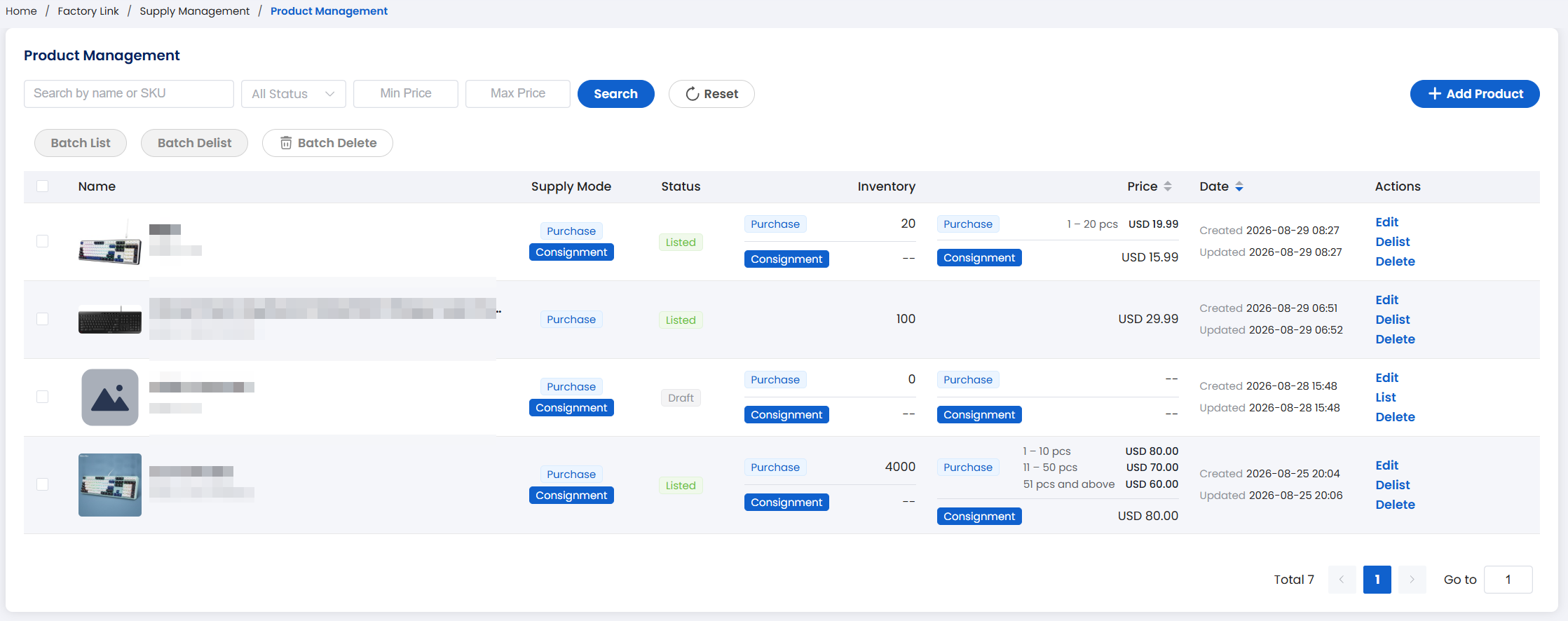
Common actions:
- Search by name or SKU; filter by status, min price, and max price
- Add Product: create a supply product
- Batch List / Batch Delist / Batch Delete: select rows, then run in bulk
- Row actions: Edit, List/Delist, Delete
Column reference:
| Column | Meaning |
|---|---|
| Name | Product name and image |
| Supply Mode | Purchase / Consignment |
| Status | e.g. Listed, Draft |
| Inventory | Current stock; can be shown per supply mode |
| Price | Selling or tiered prices; consignment may show a floor price |
| Date | Created / updated time |
| Actions | Edit, list/delist, delete |
FAQ
Q1: How long does onboarding review take?
A1: Usually 1–3 business days when materials are complete. Watch in-site messages and email.
Q2: Why is there no available overseas warehouse?
A2: Overseas warehouse applies to Direct Purchase Mode. Authorize an overseas warehouse first, then return to the application.
Q3: When will consignment orders, settlement, and reports be available?
A3: Those modules are coming soon. You can finish onboarding and product management first.
Q4: Can a product support both purchase and consignment?
A4: The list can show both supply modes with their inventory and prices. Maintain each mode from the row details.