Procurement Center
Feature Overview
Procurement Center under Factory Link is for sellers: browse factory goods in Curated Products, batch-import them into the Import List, then list them to your sales channels.
Available now:
- Curated Products: browse, filter, and select factory products
- Import List: review imported items, list them to a channel, or remove them from the list
Consignment orders, settlement, and sales reports are coming soon.
How to Open
Top menu: Factory Link > Procurement Center
Recommended flow: select items in Curated Products → Batch Import → Import List → List to Channel.
Curated Products
Path: Factory Link > Procurement Center > Curated Products
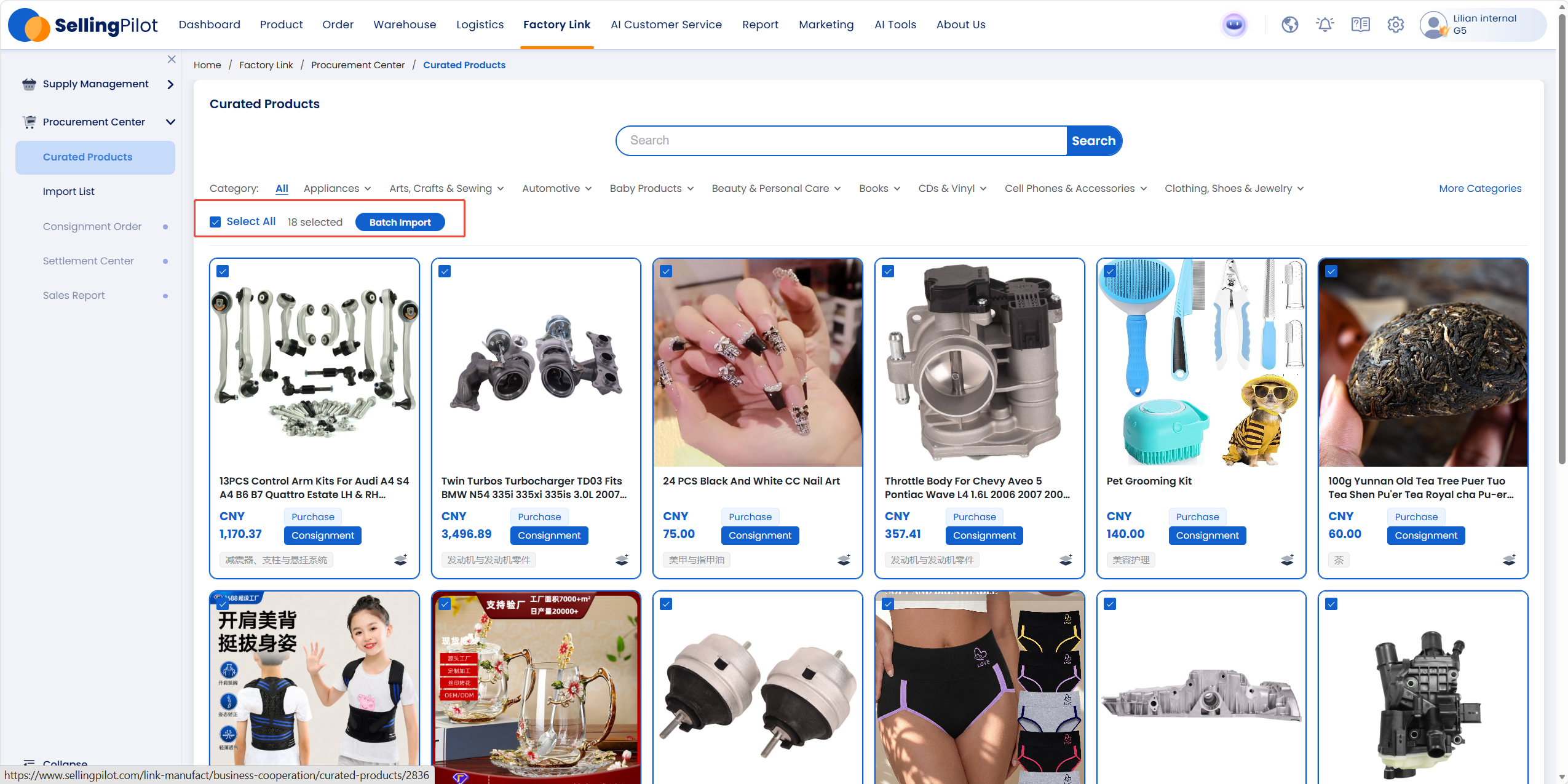
Browse by category (Appliances, Automotive, Beauty & Personal Care, and more), or enter a keyword and click Search. Each card shows price and supply mode (Purchase / Consignment).
Batch import:
- Select the products you want (or click Select All)
- Click Batch Import
- The selected products are added to the Import List
Import List
Path: Factory Link > Procurement Center > Import List
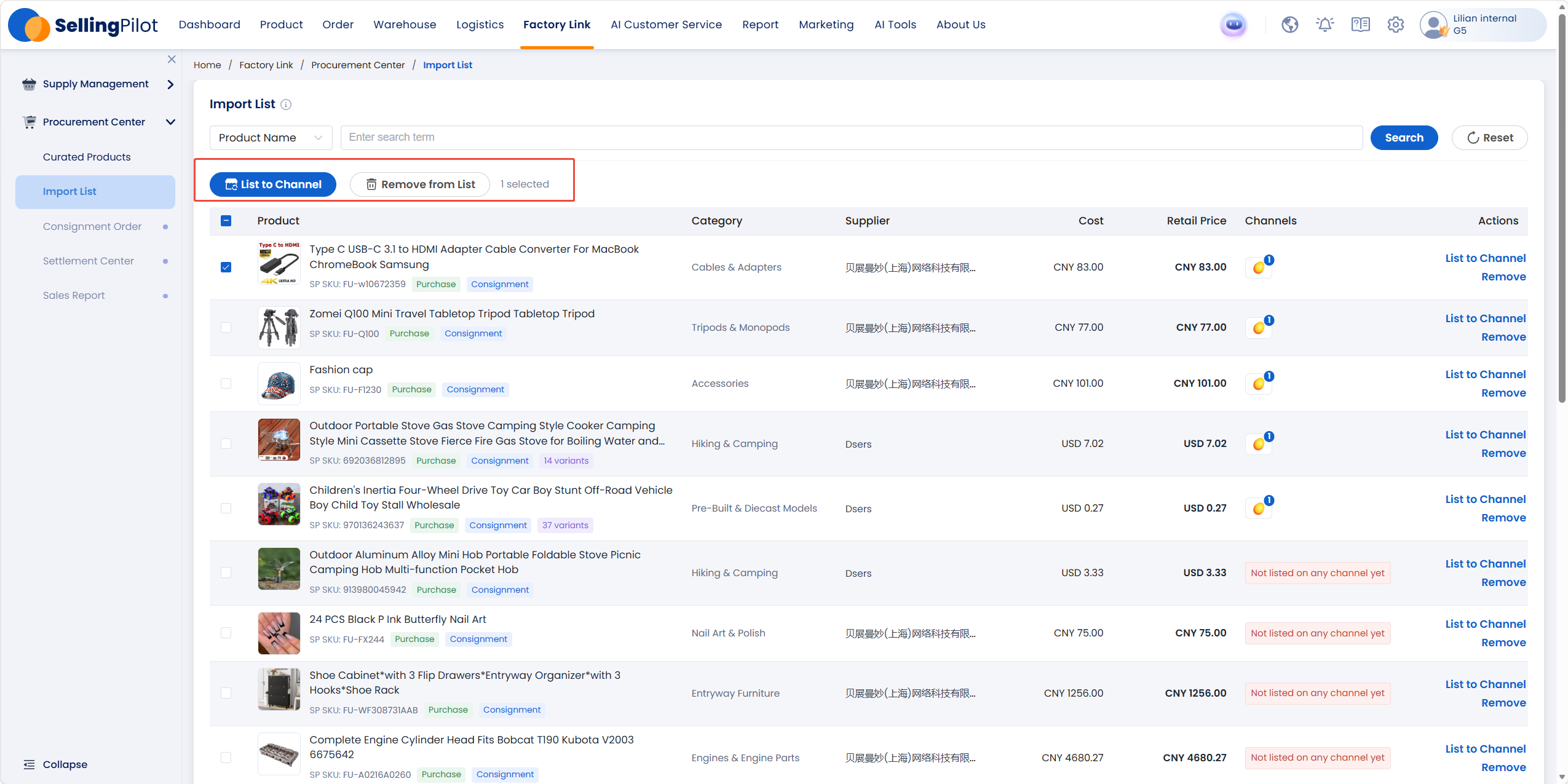
Imported products appear here. You can search by product name and other filters.
List to a channel:
- Select the products to list
- Click List to Channel (or use List to Channel in the row actions)
- Choose the sales channel and complete listing
If Channels shows Not listed on any channel yet, the product has not been claimed to a store.
To drop items you no longer need, select them and click Remove from List.
Column reference:
| Column | Meaning |
|---|---|
| Product | Name, image, SP SKU, supply mode (Purchase / Consignment) |
| Category | Product category |
| Supplier | Factory / supplier |
| Cost | Purchase cost from the factory |
| Retail Price | Suggested retail price |
| Channels | Listed channels; shows not listed yet if none |
| Actions | List to Channel, Remove |
FAQ
Q1: Where do products go after Batch Import?
A1: Open Procurement Center > Import List. Imported items appear there.
Q2: What does List to Channel do?
A2: It claims factory products from the Import List onto your authorized store channels so you can list them. Until then, Channels shows not listed on any channel yet.
Q3: Can I import more than one product at a time?
A3: Yes. Select multiple items or use Select All on Curated Products, then click Batch Import.